Performance Marketing
Vertical, Square, and Ultrawide Ad Cuts
Run the same hero across every aspect ratio of a campaign. Gemini Omni locks character identity across cuts so every variant looks like the same shoot.
Three core directions the Gemini Omni stack is tuned for — production-grade video from anything you can describe, sketch or record.

Stitch images, clips and audio cues into one coherent take.

Reframe, recompose and rephrase a scene with plain language.
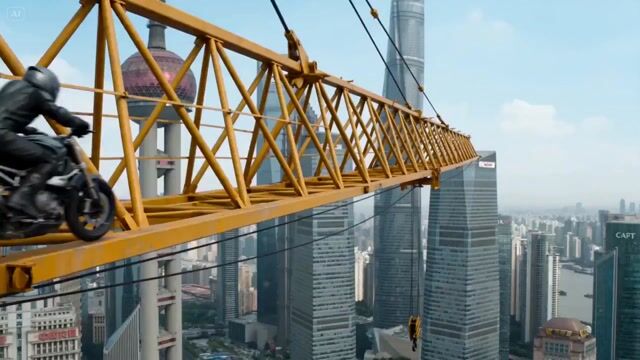
Light, weight and momentum that read as real, frame after frame.
A unified multimodal model that reasons across every input — text, image, audio, video — and renders cinematic 4K with synchronized native audio in one pass.
Gemini Omni understands directing vocabulary — dolly in, rack focus, orbital drone, whip pan, dutch angle — and renders the move with believable physics, matched lighting, and continuity across the cut.
Every render lands at native 4K with stable continuity. No flickering, no morphing edges, no rubber-faced characters between cuts.
Foley, ambience, score, and lip-synced dialogue are emitted in the same diffusion pass as the visuals — in spatial audio that matches the camera, not a bolt-on TTS pipeline.
Tell Gemini Omni 'swap the red car for a black one' or 'soften the dialogue' and the model rewrites only that region frame by frame, leaving the rest of the shot identical.
Faces, wardrobe, lighting, and palette stay anchored across every cut, aspect ratio, and re-render — a production-ready primitive for ad campaigns and episodic content.
Combine a text brief, a reference photo for character identity, a clip for camera style, and a voice memo for dialogue cadence — Gemini Omni reasons across all of them at once.
From paid-ad pipelines to feature pre-viz — Gemini Omni handles every brief that used to require a stack of separate tools.
Run the same hero across every aspect ratio of a campaign. Gemini Omni locks character identity across cuts so every variant looks like the same shoot.
Ship a new cinematic opener every week. Gemini Omni keeps the same character across episodes, lands audio on the cut, and renders in 4K straight from the prompt.
Upload a packshot, write one line, and Gemini Omni delivers a 4K product reel with synchronized ambience — ready for PDP, retail, and email.
Direct a CEO-to-camera intro with locked likeness and synchronized voice using Gemini Omni image-to-video — no booking a crew.
Block out wide, medium, and close-up shots in one prompt — Gemini Omni preserves character anchoring and lighting across every cut.
Generate lessons, demos, and reconstructions narrated in sync with the visuals. Drop a voice memo for cadence — Gemini Omni handles the rest.
Text-to-video, image-to-video, or multi-shot storyboarding — all in one prompt, then refined by chatting.
Type the scene you want Gemini Omni to direct — character, camera move, lighting, mood, sound. Optional: attach a reference photo for identity, a clip for camera style, or a voice memo for dialogue cadence.
Gemini Omni reasons across every input in one diffusion pass and outputs a 4K clip with synchronized spatial audio, lip-synced dialogue, locked characters, and cinematic camera moves.
Ask Gemini Omni to swap a prop, soften the dialogue, change the season, restyle the lighting, or remaster a single beat. Only the asked-about region rewrites; the rest stays frame-identical.
Sample Video